Built Into Klixsor

Clone Any Landing Page.
Edit It Visually. Deploy Instantly.

Paste a URL, clone the page in seconds, then customize every pixel with a full drag-and-drop visual editor. No coding. No external tools. Built right into your tracker.

Watch: Clone a page, edit it visually, and deploy to a campaign in under 60 seconds

Three Steps. Zero Friction.

From someone else's landing page to your own custom version — in under 60 seconds.

1

Paste the URL

Find a landing page you want to use. Paste the URL into Klixsor's cloner. We fetch the page, rewrite all assets to absolute URLs, and store a perfect copy.

2

Edit Visually

Open the visual editor. Drag in new blocks, change text and images inline, adjust colors and spacing, add your offer links and tracking placeholders — all without touching code.

3

Add to Campaign

Assign the landing page to your campaign flow. It's served directly from your tracking domain — fast redirects, no external hosting, and full conversion tracking built in.

One-Click Clone

See a landing page you like? Enter the URL, give it a name, and click Clone. Klixsor fetches the full page HTML, rewrites all relative URLs to absolute paths, and stores a perfect local copy — ready to edit.

  • Full HTML page cloning with asset URL rewriting
  • External stylesheets and fonts preserved automatically
  • SSRF protection — safe against internal network attacks
  • Source URL tracked so you always know the original page
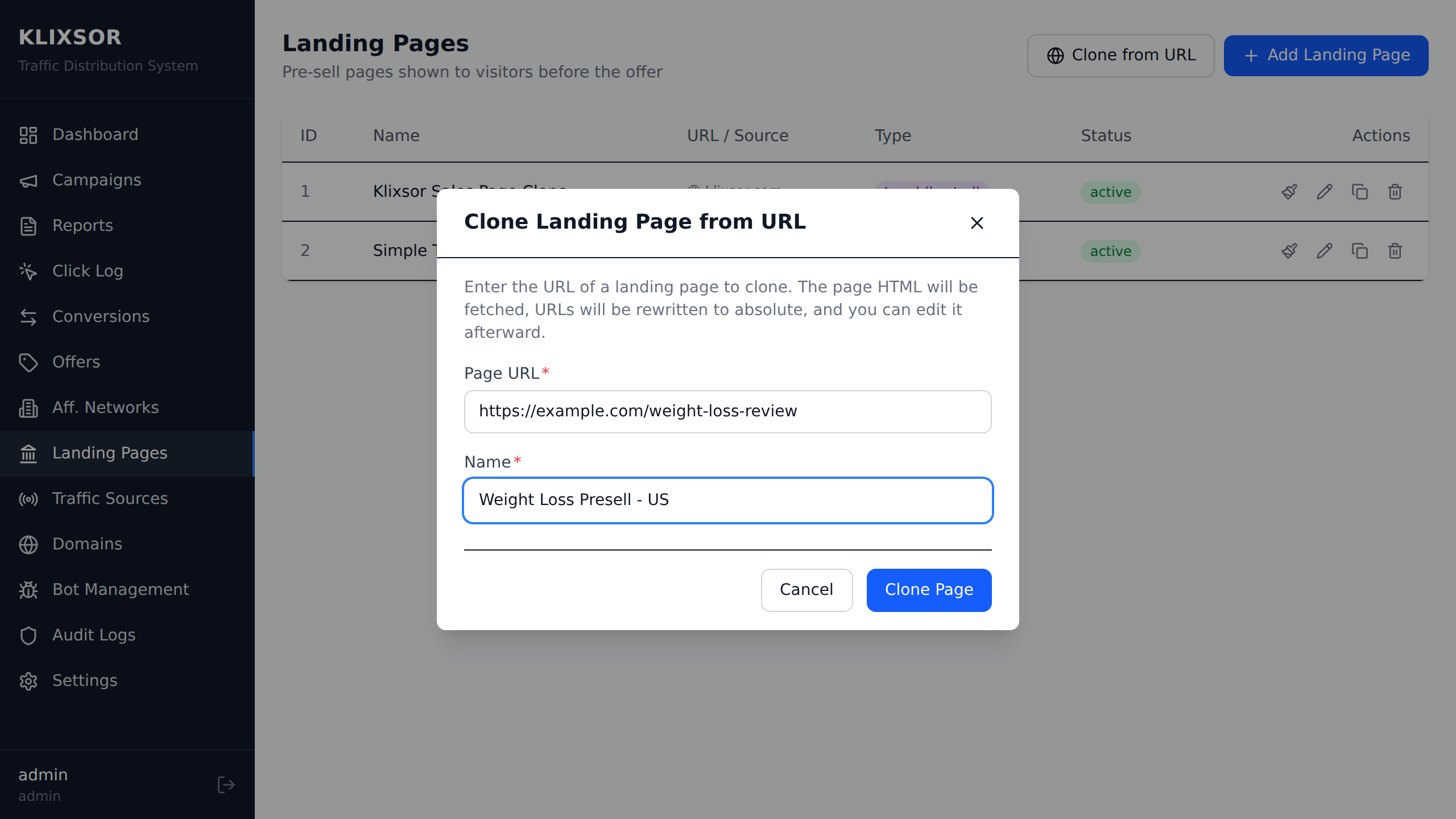
Clone landing page from URL modal — paste any URL and clone in one click

Visual Editor with GrapeJS

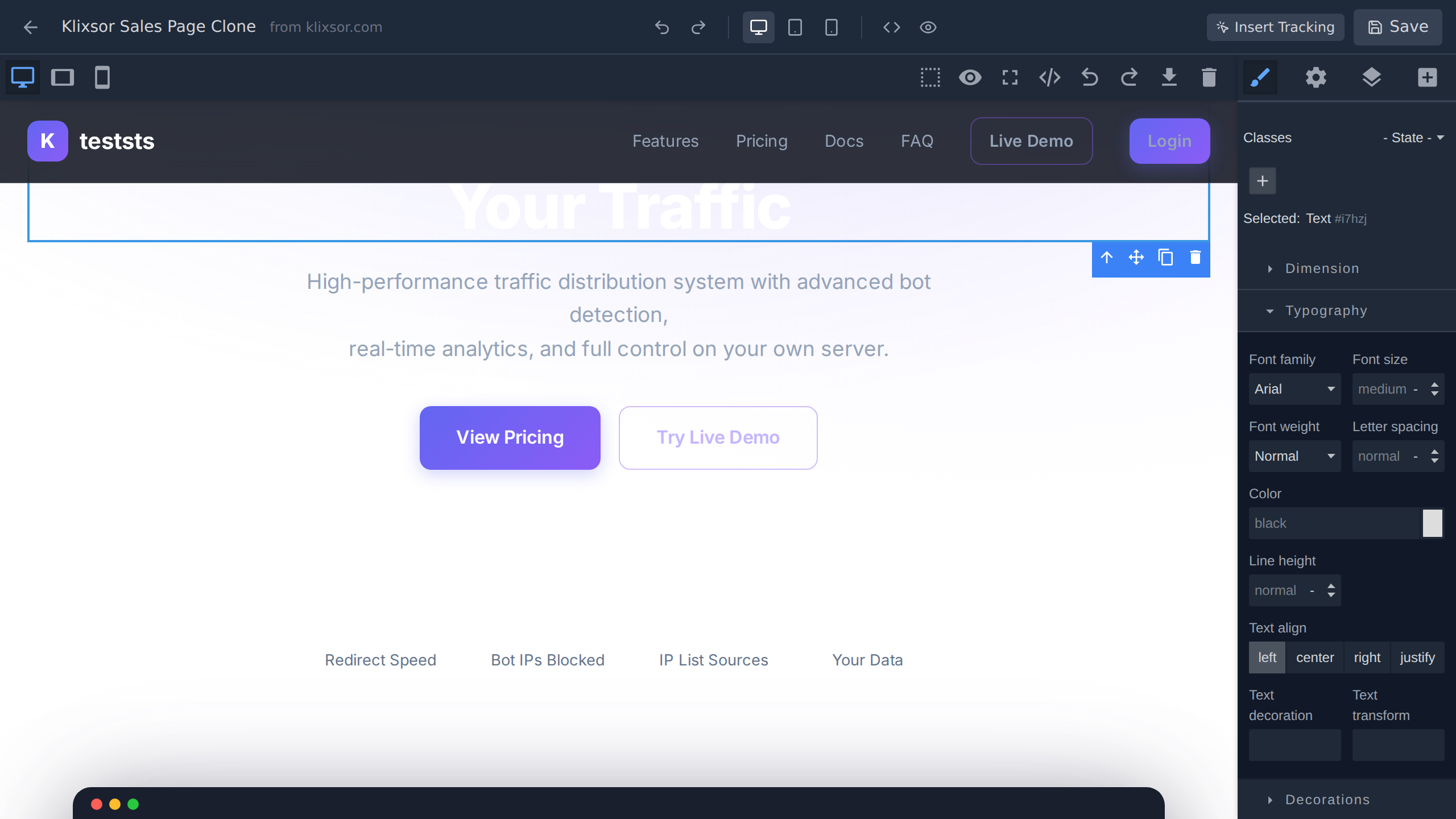
A full-featured drag-and-drop editor powered by GrapeJS — the same engine used by enterprise page builders. Click any element to edit it inline. Drag blocks from the sidebar. Adjust styles visually. No HTML or CSS knowledge needed.

  • Drag-and-drop 20+ block types onto your page
  • Click any text to edit inline — WYSIWYG
  • Style panel: colors, fonts, spacing, borders, backgrounds
  • Layer manager for precise element selection
  • Undo/redo with 50-step history
Visual editor — editing text, dragging blocks, and adjusting styles

Deploy to Campaign Instantly

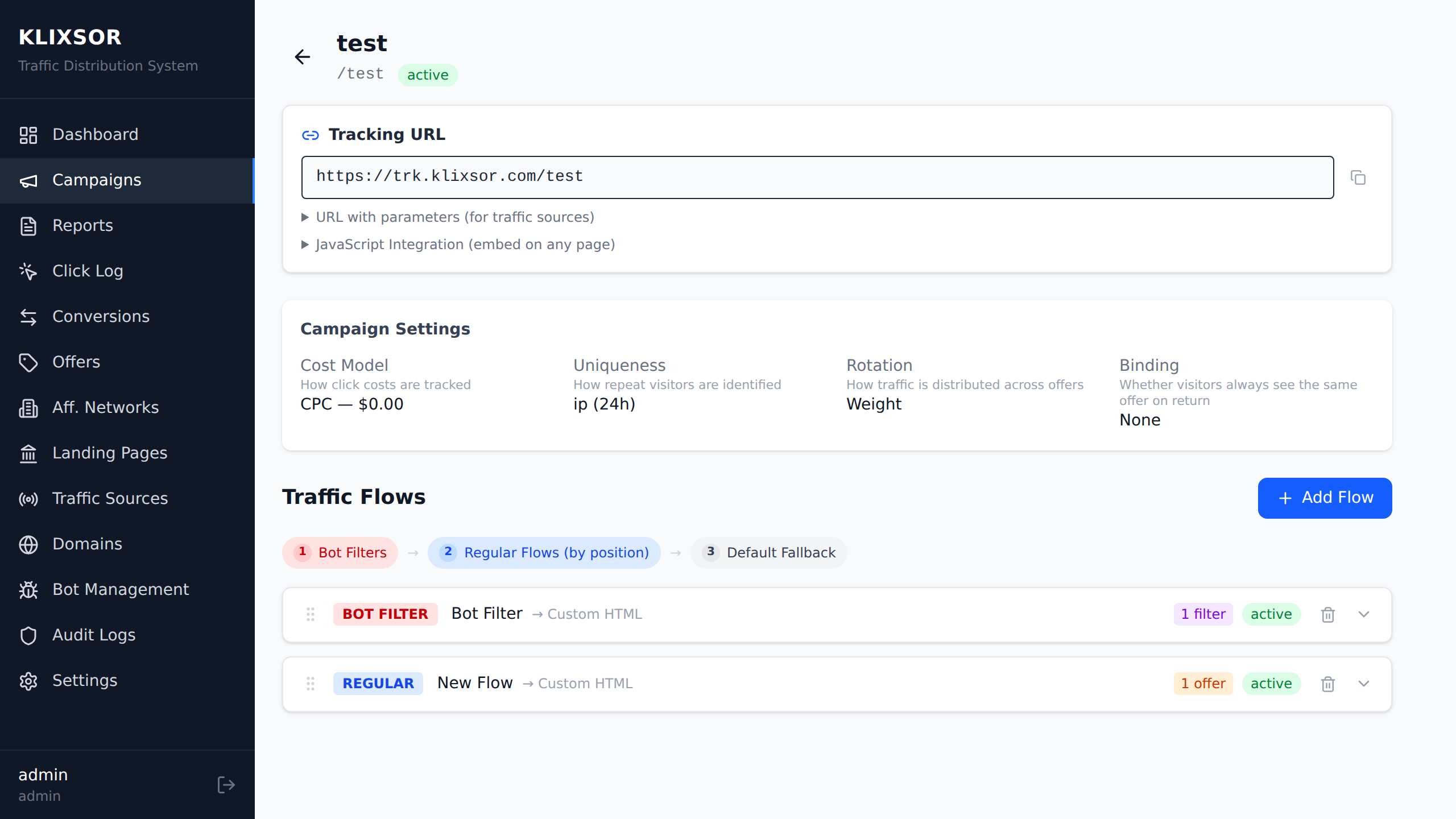
Once your landing page is ready, add it to any campaign flow. Your cloned page is served directly from your tracking domain with sub-millisecond redirects. Full conversion tracking, click IDs, and offer URL placeholders are all built in.

  • Assign to any campaign flow — bot, regular, or default
  • Weight-based rotation for A/B testing multiple landers
  • Served from your own domain — no external hosting
  • Built-in {click_id} and {offer_url} tracking macros
Campaign flow editor with cloned landing page assigned to a regular flow

Everything a Page Builder Should Have

Built for performance marketers, not designers. Every feature serves one goal: get your lander live faster.

🖌

Inline Text Editing

Click any text on the page and start typing. Change headlines, body copy, and CTAs without touching code.

💻

Responsive Preview

Toggle between desktop, tablet, and mobile views. See exactly how your page looks on every screen size.

🎨

Visual Style Editor

Change colors, fonts, padding, borders, and backgrounds visually. Full CSS power without writing a single line.

🛠

Code Editor

Need precision? Toggle the HTML/CSS code editor for direct source access. Edit and apply changes instantly.

🚀

Drag & Drop Blocks

20+ pre-built blocks: text, images, buttons, columns, CTAs, testimonials, urgency bars, and more.

🔗

Tracking Macros

Insert {click_id} and {offer_url} placeholders with one click. Full attribution on every visitor.

📂

Layer Manager

Navigate complex page structures with the DOM tree view. Select any element precisely, even deeply nested ones.

Undo / Redo

50-step undo history. Experiment freely — you can always go back. Full keyboard shortcut support.

Pre-Built Blocks for Every Need

Drag these onto any page to build or enhance your landing pages in seconds.

Basic

  • Text
  • Heading
  • Image
  • Button
  • Link
  • Video Embed
  • Divider
  • Spacer

Layout

  • Section
  • Container
  • 2-Column Layout
  • 3-Column Layout

Marketing

  • Call-to-Action Block
  • Testimonial Card
  • Features Grid
  • Urgency / Countdown Bar

Tracking

  • Click ID Hidden Field
  • Offer Link Button
  • Custom Placeholders

Built For Your Workflow

Real scenarios where the cloner saves you hours every week.

Spy Tool Follow-Up

Clone Winning Landers

Found a high-converting landing page in your spy tool? Clone it in 3 seconds, swap the offer link, adjust the copy, and launch. What used to take an hour now takes a minute.

Split Testing

A/B Test Variations

Duplicate your best lander, change the headline or CTA, and add both to your campaign flow with rotation weights. True A/B testing with zero extra tools.

Localization

Multi-Geo Campaigns

Clone your English lander, translate the copy for each target country, and route traffic by geo. One campaign, multiple localized landing pages.

Cloaking

Safe Pages

Create clean, compliant safe pages for bot traffic and reviewers. Use Klixsor's bot detection flows to show bots the safe page while real visitors see your offer.

Presell Pages

Advertorials & Reviews

Build convincing presell pages with testimonials, feature grids, and CTA blocks — all from drag-and-drop components. No design skills needed.

Speed

Rapid Campaign Launch

Go from idea to live campaign in under 5 minutes. Clone, edit, assign to flow, set your traffic source, and launch. The fastest campaign setup in the industry.

Stop Wasting Time on External Tools

Everything you need is built into your tracker. No more juggling tools.

With Klixsor Cloner

  • Clone any page in 3 seconds
  • Visual editor — no coding
  • Tracking macros built in
  • Hosted on your tracking domain
  • A/B test with weight rotation
  • Bot flows + safe pages included
  • One tool — clone, edit, track, deploy
VS

Without It

  • Manually save HTML from browser
  • Edit raw code or use separate builder
  • Add tracking pixels manually
  • Upload to separate hosting
  • Configure DNS for lander domain
  • Set up cloaking with another tool
  • 5+ tools, 30+ minutes per lander

Responsive Preview Built In

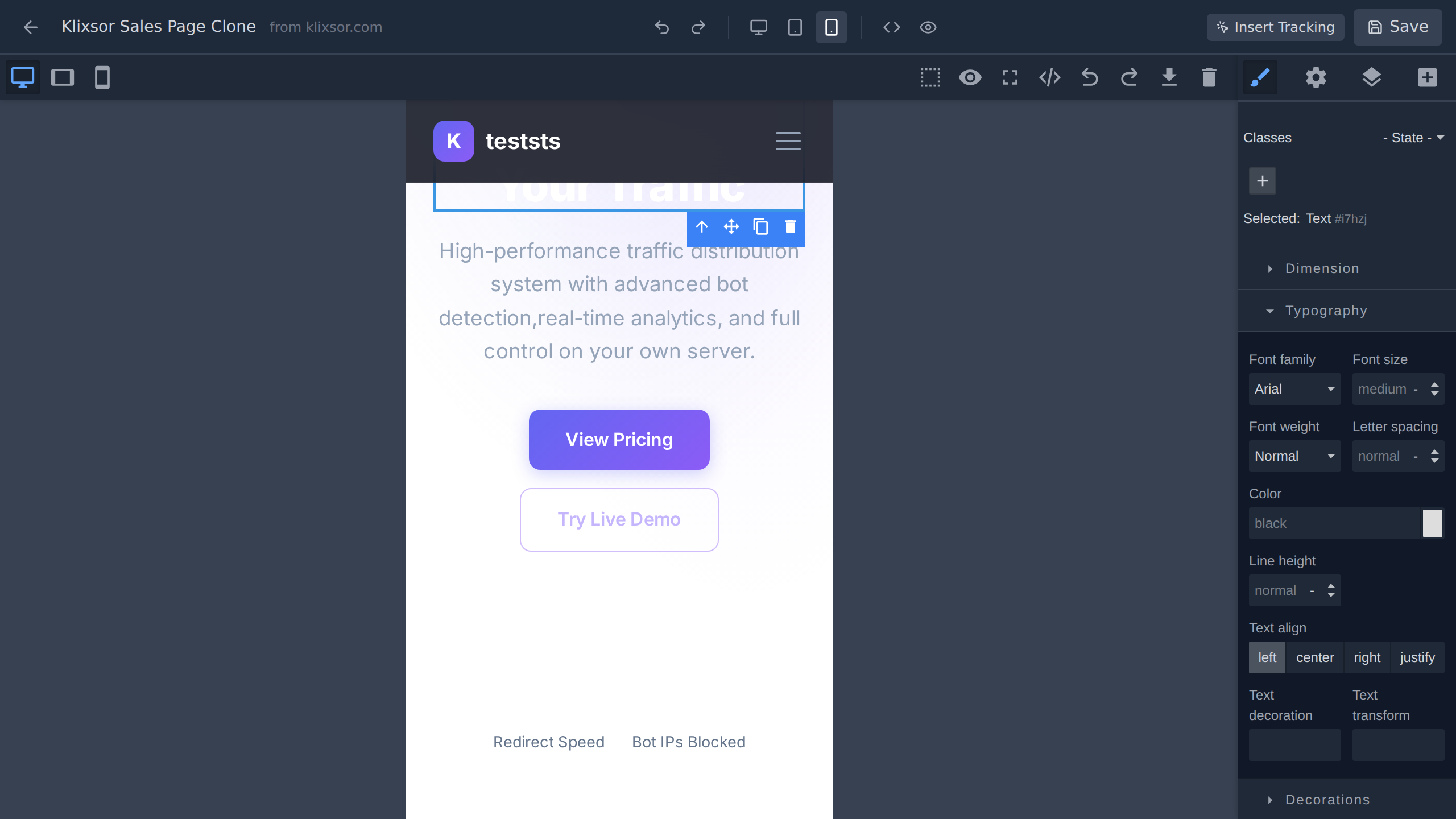
Over 60% of traffic is mobile. Toggle between desktop, tablet, and mobile views directly in the editor to see exactly how your landing page renders on every screen size — before you go live.

  • Desktop, tablet (768px), and mobile (375px) views
  • Live preview updates as you edit
  • Open full preview in a new tab anytime
  • Adjust device-specific styles visually
Responsive preview showing mobile view of landing page in the editor

Ready to Clone Your First Landing Page?

Try the visual editor in our live demo — no account needed. Or start with Klixsor Pro to get the full cloner and editor.

Included in Pro and Enterprise plans. 7-day money-back guarantee.